An Ed Camp is a participant-driven professional learning session. Instead of sitting through scheduled presentations, attendees suggest topics, choose conversations they want to join, and learn from one another through discussion. It is informal, flexible, and built around what people actually want to talk about.
On Friday, we ran ours on Zoom and broke into breakout rooms based on topics of interest. I joined a group focused on student skill-building, specifically verbal presentations, writing, and typing skills. The conversation was simple, but it felt important.
Our Topic: Skill-Building and Why We Cannot Avoid It
We kept coming back to the same concern. Students these days are not practicing these skills enough. And not because they are unimportant, but because they are uncomfortable.
Students get anxious about presentations as they worry about how they sound or just about speaking in public. And when we see that anxiety, it is tempting to adjust. So we shorten presentations, make them optional, or pivot to something that feels easier.
But we started asking ourselves whether that actually helps students long term. If we remove the practice because it makes them nervous, are we helping them build confidence, or are we reinforcing avoidance?
Speaking clearly, writing thoughtfully, and organizing ideas are not just school skills. They are life skills and interview skills. Skills students will need long after they leave our classrooms. Ultimately, avoiding them does not reduce anxiety, but structured, repeated practice does.
The Value of a Zoom Ed Camp
On Zoom, the Ed Camp format worked well. The breakout rooms felt focused because everyone was there intentionally. The conversation felt practical and grounded in real classroom experiences.
A few things that stood out:
The discussions were relevant because they were chosen by participants.
It encouraged collaboration rather than passive listening.
It gave space to think out loud and reflect honestly.
Challenges of Running It on Zoom
There were also challenges. Virtual discussions can lose momentum if there is no clear facilitator and it is harder to read the room online. Some voices naturally take up more space, while others stay muted, and screen fatigue is real.
Would I Use This With Students?
I have been thinking about whether I would use an Ed Camp model with students and there is strong potential. Giving students voice and choice in what they want to workshop could build ownership. It would also create natural opportunities to practice speaking and collaboration, which connects directly back to our conversation about presentation and communication skills.
There would need to be scaffolding and clear expectations, and possibly assigned roles within breakout rooms, but overall I could see myself using it.
Pros:
Builds ownership
Encourages discussion
Creates authentic speaking practice
Cons:
Can feel overwhelming without structure
Requires maturity and accountability
Needs careful planning to stay focused
I would likely start small, perhaps using it as a prep session before a larger presentation or writing task.
Ed Camps in General
Ed camps overall have strengths and limitations.
Pros:
Flexible and accessible
Breakout rooms allow for small-group discussion
Chat features can support students who are less comfortable speaking
Cons:
Screen fatigue
Harder to read nonverbal cues
Easier for students to disengage quietly
Technology interruptions
Like any format, these workshops work best when participants are active rather than passive listeners.
A Helpful Resource
For more information on the benefits of EdCamps for teachers, check out this video!
Final Reflection
Friday’s Ed Camp was a reminder that sometimes the most important professional learning comes from simply talking honestly about what we see in our classrooms.
Learning and brainstorming in a more collaborative way ensures we are able to move into the education field with significantly more insight than going at it alone.
Computational thinking is the process of breaking a problem into smaller parts, recognizing patterns, creating step by step instructions, and testing and revising when things do not work. When I think about it that way, it actually feels very aligned with teaching and learning. It is how I coach and how we help students improve in any subject.
This became most obvious to me when we talked about prompting AI. When you enter a vague prompt, you get a vague or unhelpful response. The tool is not mind reading. It responds to exactly what you give it. If the outcome is unclear, it usually reflects unclear input. The peanut butter and jam sandwich instruction video illustrates the same idea in a simple way. When the dad follows the directions exactly as stated, the result is a mess because the instructions lack precision. The humour works, but the deeper point is that we can only execute what we had been told.
That is what makes computational thinking so valuable. It forces you to slow down, clarify your intent, and organize your thinking into precise steps. When something does not work, it becomes feedback. It reveals where the thinking needs refinement.
In Physical and Health Education, this is not new. When teaching a complex movement, we do not just say “shoot the ball.” We break it down into components like foot placement, body position, timing, and follow through. If something is off, we isolate it, adjust, and try again.
Coding Beyond Math
I’ll be honest. When I hear the word coding, my first reaction is still not excitement. It feels technical and a bit removed from the kind of physical teaching I picture myself doing. But this week did give me some insight that coding is not really about the computer, but about deepening thinking. Additionally, before this week, I associated coding mostly with math. What stood out to me is how many non-math opportunities there are for integration.
In PHE, students could:
Design a simple interactive game that teaches the rules of volleyball
Create a Scratch animation that demonstrates how the heart rate changes during exercise
Build a digital tutorial for younger students on how to warm up safely
Coding becomes a tool that allows students to represent understanding in a different medium (cue multi-modal learning!).
Making Abstract Ideas Concrete
Another learning objective was understanding how coding can make abstract ideas more concrete.
Another learning objective was understanding how coding can make abstract concepts more concrete. In PHE, that feels especially relevant when we think about movement analysis.
In my biomechanics class, we filmed our sprinting and then analyzed our form to understand how body angles impacted speed and efficiency. We used tools like Kinovea to break down joint angles frame by frame, created free body diagrams to visualize force production, wore a Movesense sensor to track data, and used timing gates to measure performance. Instead of just hearing that “forward lean matters” or “hip extension drives speed,” we could actually see how the angles of our bodies influenced force and velocity. The math and physics stopped being abstract. They were visible in our own movement.
I can see how something similar could happen in a platform like Scratch. Students could design a simple sprint simulation where changing the angle of the torso or the force applied alters the speed of a character. Instead of memorizing ideal sprint mechanics, they could experiment. If the angle is too upright, speed decreases. If force application changes, acceleration shifts. It becomes a space to test and refine ideas.
The coding itself is not the point but it is making relationships visible. Just like in biomechanics, students could manipulate one variable at a time, observe the outcome, and adjust.
The Anna and Elsa activity from Code.org connects to this idea. Learners guide the characters to move and draw shapes on the ice, which means thinking carefully about angles and how many times a movement repeats. If the angle is slightly off, the shape does not come together the way you expect. That kind of immediate feedback makes geometry feel less abstract. Angles stop being numbers on a page and become something you can see unfold step by step.
Image from in-class work period attempting the Elsa + Anna Coding Activity
Gaming in Education
I have mixed feelings about games in education. I value play and engagement, especially in PHE where learning is already active and embodied. At the same time, I get cautious when something feels more like entertainment than actual learning.
I think some of that comes from my own experience. I remember being in the computer lab playing games like Gizmos and Gadgets and the TransCanada Highway driving game. I genuinely enjoyed them as they felt different and exciting. But if I am being honest, I do not remember what I was supposed to be learning.
Gizmos + Gadgets Game
Cross Country Canada Game
That is where my hesitation sits. I am not against games. I just think the purpose has to be really clear. If students do not understand why they are playing something or what they are meant to notice or practice, it can easily turn into “fun computer time” instead of meaningful learning.
The APA article helped solidified that. It did not say games are automatically good or bad for learning, but it emphasized that strong educational games have clear goals, immediate feedback, manageable challenge, space for reflection, and thoughtful support. That made sense to me as it is not about the game itself, but about the design behind it.
In PHE, we already do this through the TGFU method (Teaching Games for Understanding). We use small sided games and modified play to build tactical awareness and decision making. Those activities look like games, but they are intentionally structured. There is a clear learning focus underneath the play and we explicitly explain to the students WHY we are doing them, ensuring comprehension through guided questioning.
Even something like GetBadNews connects to this idea. It felt controversial in class, but I can see how stepping into the role of a misinformation creator could build critical awareness. The learning goal is explicit and you are not just playing but you are analyzing tactics through experience.
What I keep coming back to is clarity. Badges, leaderboards, or fitness points on their own do not guarantee depth. Without intention, gamification can shift the focus to winning or collecting rewards instead of actually understanding something. For me, the difference between distraction and depth comes down to whether the learning is visible and purposeful.
Video For Deeper Learning
The video “Top 5 Gamification Examples in Education” shows how teachers use games with levels, challenges, and rewards to increase engagement, but with clear learning goals behind them. It emphasizes that gamification works best when it is intentionally designed to support understanding, not just motivation. When games are structured around clear outcomes and feedback, they can deepen learning rather than distract from it.
Final Thoughts
This week helped me see coding and gaming less as add ons and more as tools. They are not replacements for movement, discussion, or hands on experience, but they can enrich them, especially in PHE and high-performance training.
Computational thinking builds clarity, patience, and structured problem solving. Coding provides a creative medium for demonstrating understanding. Games can increase engagement when they are intentionally designed.
As a future PHE educator, I want technology to serve learning, not the other way around. If coding and gaming helps students think more deeply, collaborate more meaningfully, and take ownership of their learning, then I can see myself including it in my classroom.
This week felt heavy. Not because my pain got worse. Physically, things are actually improving. But mentally, this has probably been one of the hardest weeks so far.
Learning to slow down and be patient.
General Overview
Overall, there has been real progress. I’ve been tracking my pain daily, and this week my baseline dropped to a 2–4 out of 10. Before this, I was consistently sitting at a 5–6. There have been a couple spikes, but they don’t last long, which feels significant. My physio also cleared me to begin incorporating more strength training beyond just isometric exercises, which feels like forward motion.
I’m still not cleared for any cross-training. No biking. No swimming. No long walks. Nothing that gives me that aerobic release, and I think that’s where the mental struggle is really coming from.
The Endorphin Gap
I miss pushing myself. I miss the feeling of finishing a hard workout and knowing I showed up fully. I miss the rush and the clarity that comes after. For years, that’s been how I process stress, build confidence, and feel accomplished.
Yoga, which I’ve only recently been cleared to reintroduce, is good and i’m grateful for it. But it doesn’t give me the same energy or feelings of pride after. To be honest, I really haven’t found anything yet that does.
On top of that, I’m missing my first official race of the season. That one has been hard to swallow. Races mark time for me, a chance to show improvement from the previous year, and they give structure to my training. Missing it feels like watching something meaningful move forward without me. Running feels closer than it did, but it’s still out of reach.
That “almost” is emotionally exhausting.
Why I’ve Been So Tired
Something I have been really struggling with is extreme fatigue. Which at times makes no sense because I am not doing much of anything!
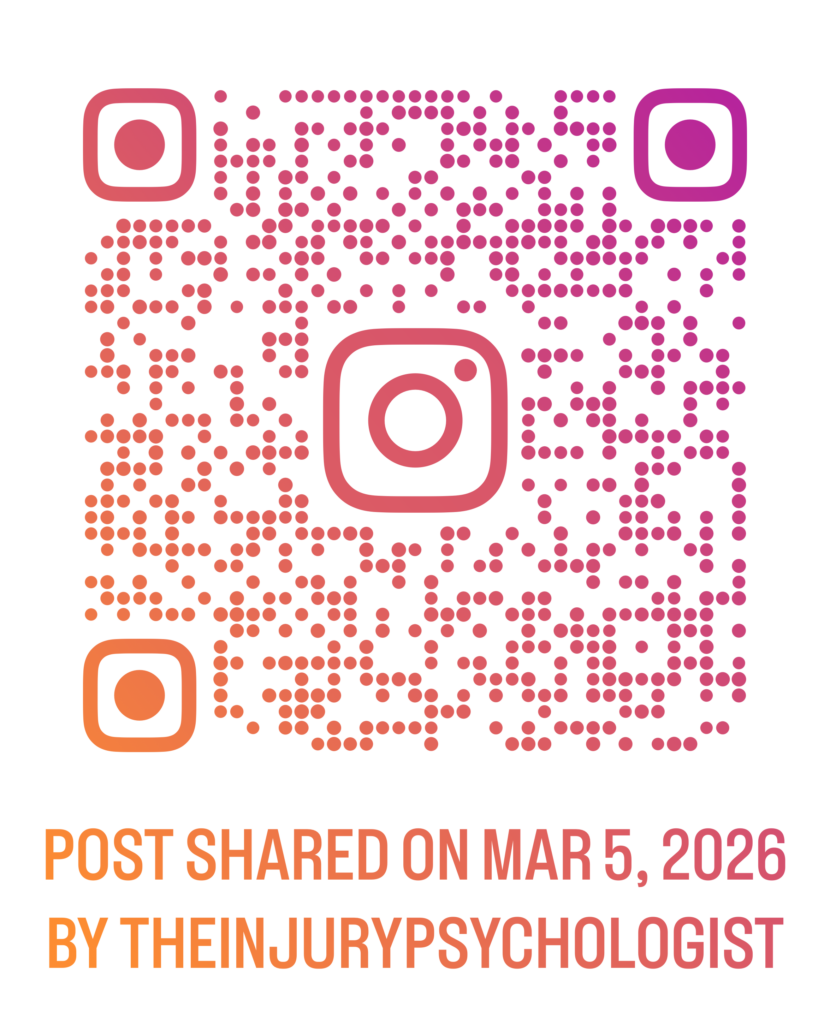
However, this week I came across a post from The Injury Psychologist on Instagram that really helped me understand what’s been happening mentally. I’ll attach the link below, but here’s what stood out to me.
One slide said: “Recovery is a full-time mental job.”
It explained how injury places the brain in constant monitoring mode. Even when you’re physically resting, your mind is scanning:
Is this pain normal?
Am I doing enough?
Am I pushing too much?
Is this healing fast enough?
Am I falling behind?
Another slide talked about how the brain struggles when the path forward isn’t clear. Injury disrupts rhythm especially as timelines shift and progress feels uneven. And the brain doesn’t like uncertainty (especially mine), so it fills the gaps by analyzing, questioning, and searching for reassurance. That constant background processing is draining.
There was also a slide that said: “The mind can recover its energy too.” It explained that as healing becomes clearer and trust in your body rebuilds, the mind doesn’t have to work as hard to monitor and protect you.
Reading that helped me reframe my fatigue. But if my brain is essentially on high alert all day—tracking pain in my tibia and knee, evaluating every sensation, questioning when I will be able to return to ‘normal’—that makes sense.
Recovery isn’t just physical. And I am realizing that even when my body is resting, my mind isn’t.
There were a few days where I felt really low, flat, and unmotivated. Missing the version of myself that could go out and hammer a workout and feel strong.
Additionally, this week my summer soccer coach emailed asking about availability for the upcoming season, which starts in April, and I had to face the strong realization that realistically my body won’t be in peak form until at least midway through the season; even if I’m back to run-walks by then, there’s no way I could sustain the energy, effort, and strength required to play a full-out game, especially in the position I typically play, and that was another hard truth to sit with.
Missing my first race of the season amplified that. It forced me to sit with the reality that I’m not just “almost back,” but i’m still in it.
I’ve had to really work to not let that spiral into frustration.
What I’m Working On
Two things have been grounding me this week:
1. Gratitude journaling. Each day I’ve been writing down what I’m grateful for. Some days it’s big things. Some days it’s as simple as low pain or good sleep. It’s not about forcing positivity. It’s about widening my perspective.
2. Focusing on what I can control. I can’t control the exact timeline of bone or tissue healing. But I can control:
My nutrition
My sleep
My rehab consistency
Listening carefully to my body
I’m also continuing to show up fully for the people I coach in the running community and the students I work with at Oak Bay High and Vic High. Even if I can’t physically demonstrate everything, I can model patience, self-awareness, and long-term thinking. If anything, this injury has reinforced the message I give them: health first. Always.
I’m also channeling energy into practicum prep. There’s something stabilizing about planning, learning, and focusing on the educator I’m becoming. Part of me has been reflecting on whether this injury is also asking me to strengthen the mental side of my performance identity before I’m ready to fully return physically.
Lessons Learned
This week reminded me:
Recovery is deeply psychological.
Fatigue doesn’t mean I’m weak; it may mean my brain is working overtime.
Progress doesn’t always feel exciting while you’re in it.
Running being “close” can feel harder than it being far away.
Even on the lower days, conversations with my coach and other professionals helped. I’m learning how to fuel more intentionally. How to rest without guilt. How to separate my worth from my workouts. How to be patient.
Those are skills I’ll carry long after this injury has fully healed.
Progress
Even though this week felt mentally tough, there is measurable progress:
Pain reduced to a 2–4 most days
Cleared for more advanced strength exercises
Better understanding of mental fatigue
More intentional focus on recovery practices
Running still feels close, but not here yet. Missing my first race hurts. I won’t pretend it doesn’t.
But I also know this: healing isn’t just about getting back to the start line. It’s about building something steadier underneath me.
This week wasn’t about proving anything physically. It was about learning how to carry the weight of recovery with a little more awareness and a little more patience.
As future PHE educators, we are preparing to teach a subject rooted in movement, connection, and lived experience. Through our link-to-practice placements and prior coaching roles, we have seen both the value and the tension that technology brings into gyms, fields, and studios.
Technology is already present in schools. The question is not whether it belongs in Physical and Health Education, but how to use it intentionally without compromising movement, inclusion, and meaningful learning. PHE is one of the few spaces in school where students are fully embodied. That responsibility should guide every decision we make about digital integration.
Please enjoy the following video or read the rest of the blog post below to dive deeper into this topic.
Technology in Assessment and Feedback
One of the strongest arguments for using technology in PHE is its role in formative assessment. Clear and timely feedback has a significant impact on student learning (Black & Wiliam, 1998; Hattie, 2009). In fast-paced movement environments, however, providing individualized feedback can be difficult.
For example, in one of our EPHE skill classes, recording short clips during a volleyball serving lesson noticeably deepened reflection. When we, as students, watched our own performance and compared it to the given success criteria, we were able to identify specific adjustments. The feedback shifted from general external awareness to targeted self-correction.
The following video demonstrates this process clearly. Students perform a skill, immediately review the footage, and attempt the movement again with a specific focus. The tight feedback loop (perform, review, adjust) makes learning visible and actionable in real time.
Similarly, the next video shows how digital platforms can track fitness data, assessment benchmarks, and progress across units. Rather than replacing movement, the system organizes evidence of learning and supports ongoing feedback. It highlights how technology can strengthen accountability and documentation while still centering physical activity.
Research supports this approach. Video-supported feedback improves motor skill development when combined with structured reflection (Potdevin et al., 2018).
How technology can support assessment
Video recordings for skill analysis
Digital portfolios that demonstrate growth
Structured student reflections
Apps that track effort or personal goals
Benefits
Makes learning visible
Strengthens self-assessment
Documents progress over time
Supports data-informed instruction
Challenges
Reviewing submissions requires time
Risk of over-assessing and reducing movement
Privacy and consent considerations
Unequal device access
Across schools, access varies significantly. In some settings, every student had a device. In others, a single teacher iPad was shared. Technology strengthens assessment only when it sharpens feedback cycles rather than dominating instructional time.
Differentiation and Inclusion
Inclusive practice is central to effective PHE. The Universal Design for Learning framework emphasizes multiple means of engagement, representation, and expression (CAST, 2018).
During a dance unit in one of our placements at Belmont Secondary, students who struggled with live demonstrations or missed the previous class benefited from replaying short instructional clips at their own pace to learn the choreography. In another experience, translation tools and pre-made digital task cards played on an ipad during a tennis unit supported multilingual learners in accessing task instructions more independently.
The video below reinforces this idea. It presents practical strategies such as using video breakdowns, fitness tracking tools, and apps to personalize goal setting. What stands out is that the technology is manageable and clearly tied to learning intentions as it supports diverse learners without overwhelming the lesson.
In coaching settings, digital goal tracking can also help injured athletes stay connected to team culture while working within modified programs. For example, an athlete recovering from an ankle injury might log their rehab exercises in the same shared platform where teammates record sprint times or strength sessions. While their training looks different, they are still contributing to team goals, tracking progress, and participating in weekly check-ins. That connection can significantly impact motivation and belonging, especially during periods when athletes might otherwise feel isolated from the group.
Research suggests digital tools can increase participation and access for students with disabilities when implemented intentionally (Casey et al., 2017). For example, in a PHE class, a student with a learning disability or processing delay might benefit from having access to short, captioned video demonstrations they can pause and replay before joining an activity. Instead of feeling overwhelmed by fast verbal instructions, they can review the movement at their own pace and enter the task with greater confidence. In these cases, the technology does not lower expectations, but it simply provides an accessible pathway into the learning.
Examples
Replayable visual demonstrations
Translation tools
Digital choice boards
Adaptive fitness tracking
Modified goal tracking for injury
Benefits
Supports varied learning needs
Allows self-paced review
Provides alternative ways to demonstrate understanding
Maintains engagement during modification
Challenges
Access inequities may widen gaps
Teachers require training
Devices can shift focus away from embodied learning
Technology can amplify inclusive practice, but it cannot replace thoughtful planning.
Student Engagement and Motivation
Technology can energize lessons. QR code fitness stations, projected interval timers, and music integration often increase structure and participation quickly.
The previous WELNET video highlights how apps and tracking tools connect movement to students’ everyday technology use. When students set personal goals and monitor progress, engagement often increases because the learning feels relevant.
At the same time, we have observed how quickly devices can become distractions. During one lesson one of our group members did at Rockheights Middle School, they used iPads for video demonstrations. However, several students became more focused on rewatching clips, switching between apps, and taking photos than actually practicing the skill. Instead of using the video as a quick reference, it turned into extended screen time between attempts. As a result, repetitions decreased and the overall intensity of the lesson dropped. When screens begin to dominate attention, movement quality and engagement can decline.
The lesson here is even when a tool is well planned, it might not match the energy or focus of that class on that day. Paying attention to how students are responding and being willing to adjust is part of good teaching. In this case, switching to paper skill breakdowns protected movement time and brought the focus back to practice. It was a great reminder that the goal is not to use the most innovative tool. The goal is to support learning by guaging the group dynamic and needs and only use technology when it is strengthening the student’s ability to engage in the lesson, not compete with it.
Technology supports motivation when it:
Encourages autonomy
Reinforces goal setting
Builds competence
Connects learning to real-world tools
It becomes problematic when:
It distracts from skill development
It increases passive screen time
It prioritizes numbers over physical literacy
In a subject centered on health and movement, technology should deepen embodied experience, not compete with it.
Teacher Planning and Professional Practice
Technology has also shaped our own learning in skill and methods classes. Shared planning documents allowed us to co-construct units in real time, leave feedback for one another, and adjust lessons collectively rather than planning in isolation. In skill-based courses, such as Net Games and our TGFU course, reviewing videos of our own teaching made pacing, clarity of cues, and actual movement time more visible. It pushed us to refine our instruction in ways we would not have noticed otherwise.
Moving forward as future educators, we can use these same tools to strengthen lesson planning collectively. Shared digital planning spaces can support consistency across classes, allow us to reflect on what worked, and build stronger progressions year over year. When technology aligns with pedagogy and content knowledge, as emphasized in the TPACK framework (Koehler & Mishra, 2009), it becomes a tool for professional growth rather than just another platform to manage.
Technology can support teachers through
Lesson planning platforms
Access to demonstration libraries
Collaboration tools
Digital progress tracking
Communication systems
Benefits
Improves organization and documentation
Encourages collaboration
Supports reporting
Connects school and home
Professional development remains essential to ensure technology is used ethically and effectively.
Conclusion
Technology has a meaningful place in PHE when it strengthens formative feedback, makes learning visible, supports inclusion, and aligns clearly with learning goals. In these cases, it deepens reflection and enhances movement-based learning rather than replacing it. However, it becomes problematic when it reduces movement time, creates inequities in access, distracts from embodied learning, or adds screen time without clear purpose. The impact of technology ultimately depends on how intentionally it is used and whether it protects the core values of Physical and Health Education.
As future educators, our responsibility is not to reject technology or adopt it uncritically. It is to use it intentionally, protecting the integrity of movement-based learning while adapting to contemporary educational contexts.
References
Black, P., & Wiliam, D. (1998). Assessment and classroom learning. Assessment in Education: Principles, Policy & Practice, 5(1), 7–74. https://doi.org/10.1080/0969595980050102
Casey, A., Goodyear, V. A., & Armour, K. (2017). Digital technologies and learning in physical education: Pedagogical cases. Routledge.
Potdevin, F., Berthoin, S., & Gerbeaux, M. (2018). Effects of video feedback on motor skill learning in physical education. Journal of Teaching in Physical Education, 37(2), 1–10. https://hal.science/hal.pdf
When I think back to my own K to 12 experience, I honestly do not remember accessibility being talked about explicitly. I remember one student who used a laptop for typing because handwriting was painful and slow. I remember another who wore headphones during work blocks. At the time, I did not think of those as assistive technologies. They were just tools that helped those students learn.
Now, after being in classrooms as a teacher candidate, I see how much design choices matter. Accessibility is not just about having a device available. It is about whether the way I design a lesson invites students in or quietly shuts them out.
Assistive Technology Is Not a Bonus
Assistive technology is often framed as something extra, like a support or modification. But for many students, it is the only way they can access the learning in the first place.
In BC classrooms, a significant number of students have identified diverse learning needs. And many more have needs that are not formally diagnosed. When I think about that, I realize that accessibility is not about a small minority. It is about designing for real classrooms.
The Accessibility Practices We Often Miss
Here are a few practices I see overlooked often, including by myself.
1. Alt Text That Actually Describes the Image
I used to think adding alt text meant writing something quick like “students working” or “classroom photo.” Technically, that is alt text. But it is not meaningful.
If the image is conveying important information, the alt text should reflect that. For example, instead of writing “graph,” I could write, “Bar graph showing steady growth in reading scores from September to January, with the largest increase between November and December.” That level of detail changes the experience for someone using a screen reader. It makes the visual content perceivable.
I have also learned that decorative images should have empty alt text so they are skipped. That was something I did not know before. I used to describe everything, which can actually make navigation more frustrating.
2. Headings That Are Just Bigger Fonts
This is one I am guilty of. In Google Docs and WordPress, it is easy to make text bigger and bold and call it a heading. But screen readers rely on actual heading styles to navigate. If I skip from Heading 1 to Heading 3 because it “looks better,” that creates a structural gap.
Using proper heading hierarchy is not about aesthetics. It is about operability. Someone using a screen reader can jump from heading to heading to understand the layout of the page. Without that structure, the page becomes a wall of text.
3. Colour Contrast
I love soft, neutral colours. Light grey text on a white background looks clean to me. But clean does not always mean accessible.
I was surprised to learn how many colour combinations fail contrast checks. Something that looks fine on my laptop might be unreadable for someone with low vision or colour blindness.
This is one of those practices that benefits everyone. High contrast text is easier to read when you are tired, on a small screen, or in bright light.
4. Captions That Are Never Edited
Automatic captions on platforms like YouTube are convenient, but they are not perfect. I have uploaded videos and felt relieved when the captions appeared. Then I actually read them.
Names are wrong. Punctuation is missing. Subject specific vocabulary gets distorted. If a student relies on captions, those errors matter.
Editing captions takes time. But if I am assigning a video as part of learning, that time is part of the work. Accessibility is not an afterthought. It is embedded in the design.
5. PDFs That Are Essentially Photos
This one surprised me. A scanned PDF might look clear and readable to me. But to a screen reader, it can be an image with no readable text.
That means the content is not perceivable unless it is properly formatted with selectable text and tagged structure. I have definitely uploaded PDFs in the past without thinking about that.
Evaluating Tools With Intention
This week also pushed me to think about how we evaluate educational technology. The SAMR model asks whether a tool is substituting, augmenting, modifying, or redefining learning. The Triple E Framework focuses on engagement, enhancement, and extension.
I appreciate how the Triple E Framework forces us to ask whether a tool is actually deepening understanding or just making something look more exciting.
For example, an interactive H5P video might feel innovative. But if students are just clicking through without thinking, it might score high on engagement and low on enhancement. And if that video is not captioned or keyboard navigable, it is also excluding learners.
A tool can be high on the SAMR ladder and still be inaccessible. That realization was important for me because innovation without accessibility is not progress.
Why Accessibility Is Still Overlooked
I think digital accessibility is often missed because it feels invisible. If you are not personally using a screen reader or captions, it is easy to forget they exist.
There is also a perception that accessibility is extra work. Something you do if you have time. But the more I reflect on it, the more I agree with the idea that designing for accessibility is not extra but crucial to student success.
When I imagine a student in my future classroom trying to access a resource I created, I do not want their first experience to be a barrier I accidentally built.
Accessibility is about equity and dignity. And it is about being intentional with every heading, every image, every video, and every colour choice. I am realizing that accessible design is not a checklist I complete at the end. It is a mindset I need to carry into every lesson I create.
Further Information
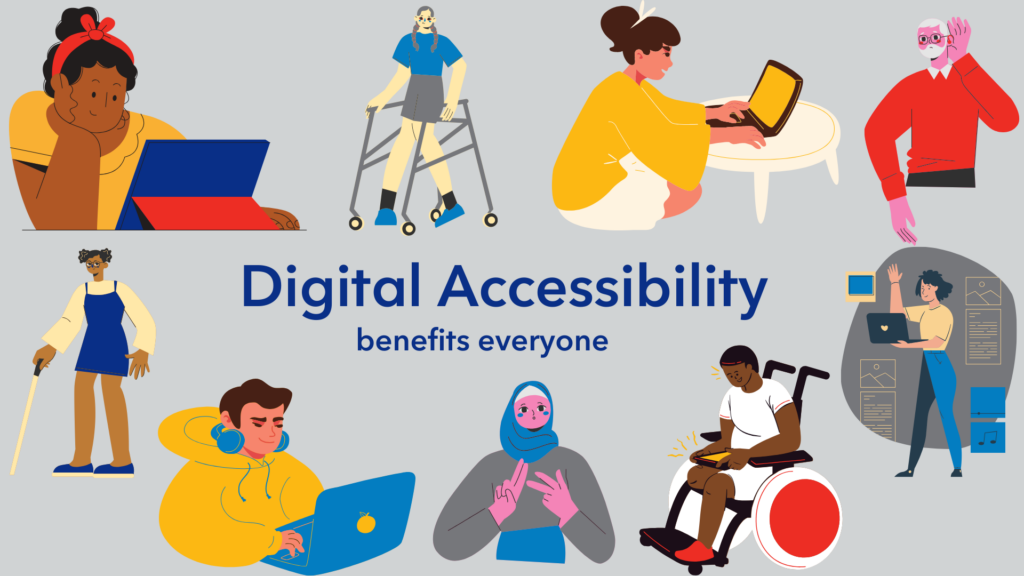
Here is really useful video on digital accessibility that you can watch to deepen your understanding and bring it into your own work:
That number felt heavy. 11 weeks since my last run. 11 weeks of trying to make sense of pain that didn’t follow a clean, linear story. 11 weeks of progress, setbacks, hope, confusion, and a lot of patience I didn’t know I had.
This past stretch has been a rollercoaster, not just physically, but mentally. I hit a milestone I never wanted to hit: double digits in weeks away from running. And at the same time, I finally started getting some clearer answers.
The Update: What We Know Now
A couple of weeks ago, I got my MRI results back. The initial read showed no active stress fracture, which was both relieving and confusing. If there wasn’t a stress fracture, why was I still in pain?
My medical team felt the same uncertainty. The imaging didn’t fully explain what I was feeling. And then things flared again.
I had some pretty severe pain spikes with cross-training — enough that I had to take a full week off. That week felt like a massive step backwards. After being off running for so long, even cross-training had become my anchor. Letting that go, even temporarily, was really hard.
When I met with my sports doctor again, we re-looked at the MRI more closely. This time, we noticed fluid buildup around the pes anserine bursa, consistent with pes anserine bursitis. An ultrasound confirmed thickening in that area.
But that still didn’t fully explain the initial injury.
So I was referred to another sports medicine doctor for a second look. After reviewing everything his assessment was that I most likely had a cortical early-stage stress reaction that was on its way to becoming a stress fracture. These don’t always show up clearly on imaging, and may have healed by the time I got my imaging. He also mentioned the possibility of a periosteal reaction without marrow edema, which can be painful but subtle or invisible on scans.
The good news: There is no current stress fracture on MRI.
The honest reality: That doesn’t exclude that there may have been one earlier in the process.
So what likely happened? I didn’t just have one injury. I had two.
The initial bone stress injury required crutches and significant offloading. That prolonged crutch position and unloading likely triggered the secondary issue, pes anserine bursitis. In trying to protect the bone, I irritated the soft tissue. It’s been a complicated chain reaction.
For more context, check out this video below which does a great job explaining what Pes Anserine Bursitis is:
Where Things Stand Now
As of this week, I’m starting a structured loading plan with my new sports doc. We’re building a clear rehab progression, and from the sounds of it, a small run–walk protocol could be back on the table in about four weeks, cautiously and gradually.
The bursitis should hopefully settle within six to eight weeks as we progressively reload it. For the first time in a while, the plan feels grounded.
The Challenges
This season has stretched me in ways I didn’t expect.
1. The mental weight of uncertainty.
Not having a clean diagnosis for weeks was exhausting. Pain without clarity can mess with your head.
2. The flares.
Every time things seemed to calm down, a flare would spike and shake my confidence. Especially when cross-training, the one thing I felt like I still had, triggered pain.
3. Taking a week off everything.
That week off cross-training felt like starting over. It challenged my identity and my coping strategies.
4. The patience required.
Ten weeks without running forces you to sit with yourself in a different way.
Lessons I’m Learning
I’m still in it, but here’s what this stretch has taught me so far:
1. Imaging is helpful, but it’s not the whole story.
Scans don’t always capture early bone stress reactions. Clinical context matters.
2. Offloading has consequences too.
Protecting one structure can overload another. Rehab isn’t just about rest, it’s about smart, progressive loading.
3. Healing isn’t linear.
Flares don’t always mean failure. Sometimes they’re information.
4. Second opinions can be valuable.
Not because someone was “wrong,” but because complex injuries benefit from multiple lenses.
5. My identity is bigger than running.
This one is still a work in progress. But ten weeks has forced me to widen my perspective.
6. Progress can be quiet.
Sometimes progress looks like better understanding, not faster pace.
Video Reflection: The first 10 Weeks of Rehab
I’ve included a video below that summarizes the first ten weeks. The ER visits, the crutches, the imaging, the cross-training attempts, the flares, and the mindset shifts along the way.
This chapter has been humbling. But it’s also so important.
For now, the focus is simple:
Load gradually.
Respect the process.
Build back stronger, not just physically, but mentally.
And hopefully, in a few weeks, take those first careful run–walk steps back.
This Friday’s presentation on AI in the classroom left me thinking less about the tools themselves and more about how we talk to students about them. The biggest takeaway wasn’t “use more AI” or “avoid AI”, but t was about balance, literacy, and making sure both students and staff understand what’s actually happening.
Teaching students about AI
One of the most helpful parts of the session focused on how we explain AI to students in ways that make sense to them. A key concept that came up was hallucinations which is when AI generates information that sounds convincing but isn’t true.
Students are already encountering this. They might:
Put AI-generated information into homework that isn’t accurate
Get confidently written but incorrect answers
Ask silly prompts like “animals that live on the moon” and receive detailed responses
Ask about an author’s books and get a list—even when those books don’t exist
AI is better than it used to be, but it still isn’t perfect. Helping students understand that AI can sound knowledgeable without actually being correct is essential. The goal is not to scare them away from using it, but to help them use it critically and responsibly.
AI literacy is now part of digital literacy
Another clear message from the presentation was that we need to teach AI literacy the same way we teach media literacy and internet safety.
That means:
Explaining what AI is (and isn’t)
Showing students how to question outputs
Teaching them to verify information
Helping them understand when tools are supportive and when they aren’t
This only works if all school staff are on the same page. Everyone in a school community needs to know:
Which tools students are using
How they’re using them
What expectations we’re setting
Consistency matters. If one classroom encourages AI and another bans it without discussion, students receive mixed messages. Open communication among staff helps create shared language and expectations.
The environmental conversation
Another important piece was the environmental impact of AI. Students are often very aware of sustainability, and AI provides a real-world context for discussing energy use and technological responsibility.
The presentation highlighted a few examples:
Some countries are placing data centres underground and using the heat to warm homes
Others are working to make AI systems more energy-efficient and sustainable
Conversations about environmental footprint should include AI alongside everything else we use (Ie. do kids get driven to school every day when they could walk?)
Rather than presenting AI as purely harmful or purely helpful, the focus was onbalance and transparency. Students should understand both the benefits and the costs and should be invited into the conversation. Asking them for ideas about sustainability helps them feel involved rather than powerless.
Check out this great video on the impacts of AI on sustainability. It would be a perfect tool to get the conversation started in a high school level class!
Moving forward
My biggest takeaway is that the goal isn’t perfection, but awareness.
We want students to understand that AI can make mistakes and to see it as a support rather than a shortcut. They should feel comfortable asking questions, thinking critically about what they see, and staying curious as they learn. At the same time, we want educators to stay informed, share knowledge with one another, use clear and accessible language, and focus on guiding students’ learning rather than trying to control it.
AI isn’t going away. If anything, it’s becoming more embedded in daily life. Our role is to help students navigate it thoughtfully, ethically, and confidently.
AI literacy lesson ideas & resources:
Below is a great document that could be used for teaching AI concepts in accessible, age-appropriate ways and for helping students build the skills they need to navigate this evolving landscape.
Week 2 of rehab felt like stepping into the in-between. I’m no longer completely sidelined, but I’m also far from being back. There’s progress, which is exciting, but it comes with a new kind of patience. This week started to show me what the next stretch of this process might look like with small wins, slow rebuilding, and learning how to sit in the middle without rushing through it
Successes for the week This week had some real momentum. I started aqua jogging, which felt like a big step mentally as much as physically. There’s something about being in motion again, even in the pool, that brought back a bit of the rhythm I’ve been missing. I also returned to some light strength training. Nothing dramatic, but enough to feel like I’m reconnecting with my body in a productive way.
One of the biggest wins: I walked three laps of the track without crutches. It might sound small, but it felt huge. Being on the track again, even just walking, was grounding. It reminded me that forward movement is happening, even if it looks different right now.
I also had my MRI this week. Nearly 40 minutes of loud, clanging noises while lying still is not exactly relaxing. They scanned both legs for comparison, which added time but should give a clearer picture. It was nerve-wracking going in, but I got through it and will have results this weekend. For now, I’m trying to stay neutral and trust the process.
If you have never had an MRI, here is a great video explaining how it all works!
Challenges for the week The hardest part right now is this middle phase. I’m not fully out of commission anymore, which means I can do more, but I’m also not close to being back to normal training. That gray area is mentally tough. There’s enough progress to see what I’m missing, but not enough to return to it.
The reality of how long this rehab will likely take is starting to sink in. In the early days, everything felt acute and immediate. Now, it’s more about sustained patience. That’s a different challenge. There’s a temptation to measure where I am against where I was, and to want to speed things up. But that mindset isn’t helpful, and honestly, it’s what got me into trouble before.
I had a really helpful conversation with my coach this week. She reminded me that the goal isn’t to get back to where I was, because where I was wasn’t sustainable. The goal is to come back healthier, stronger, and with better habits. It was a grounding reminder that this isn’t just about returning; it’s about rebuilding in a smarter way.
Lessons learned for the week Progress doesn’t always feel like progress. Sometimes it just feels slow. But slow is still forward.
This week taught me that the middle phase requires a different kind of discipline, not the push-hard, grind-through type, but the steady, patient kind. The kind where you respect the timeline, trust the professionals around you, and focus on the small things you can do well.
I’m also learning to reframe what “better” means. Better doesn’t mean getting back to old training numbers as quickly as possible. It means building a version of myself that can handle the load in a healthier way long term. That’s a bigger goal, and one that’s worth taking the time for.
For now, I’m holding onto the wins: movement in the pool, a bit of strength work, three laps around the track, and another week closer to normalcy.
Education today feels very different compared to when I was in high school. Back then, technology mostly meant booking time in the computer lab, and feedback or updates usually had to wait until the next class, homeroom, the weekly newsletter, or the PA system. Now, platforms like Google Classroom are part of everyday learning and have shifted how we interact with our students.
Google Classroom and Communication
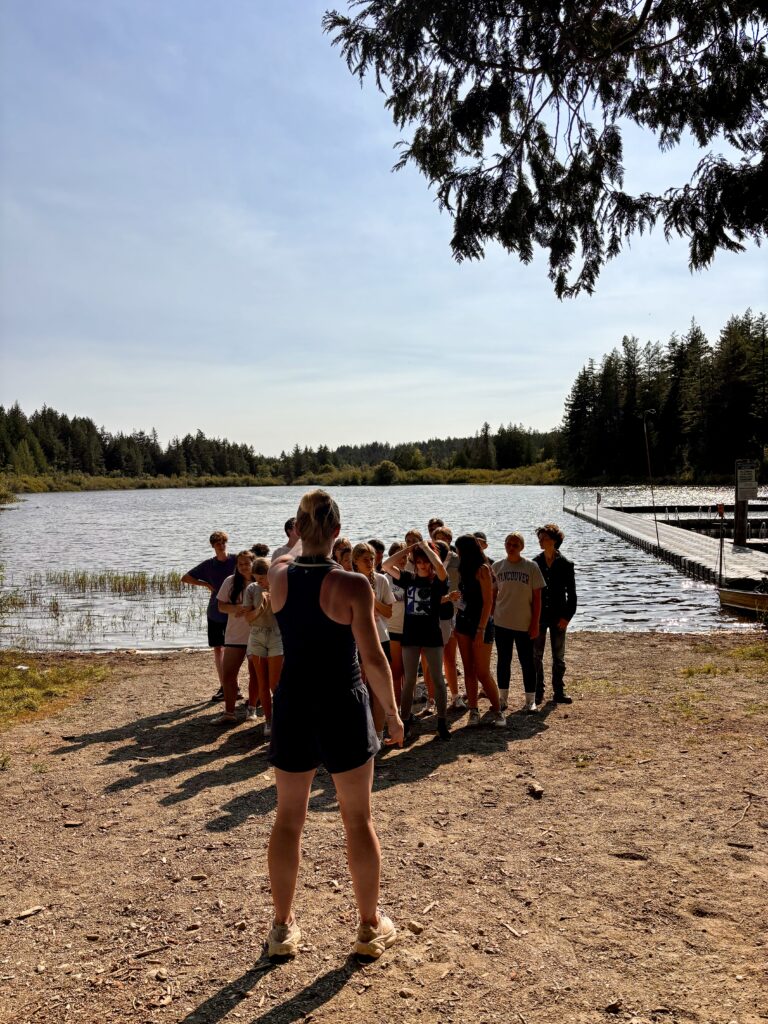
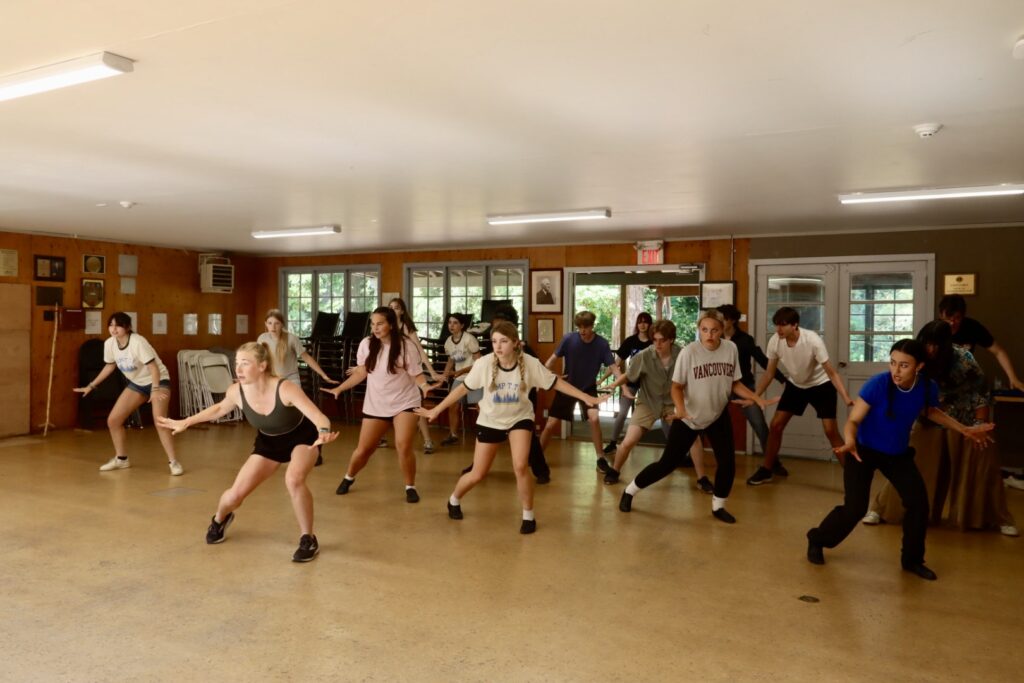
One of the biggest strengths of Google Classroom is communication. For context, I currently work at Oak Bay High School and help out with the school musical, which has given me a practical look at how Google Classroom is used beyond a typical academic setting. While working on the musical, it has been especially helpful for sharing rehearsal updates, reminders, and resources in one place. Students can quickly check what they have missed or what they need to review.
Posting rehearsal videos has been particularly useful. Students can rewatch choreography or scenes at home, which helps reinforce learning and makes in-person rehearsals more efficient. This kind of instant, organized communication feels much more effective than relying on verbal reminders or printed handouts.
At the same time, there are challenges. With frequent posts and notifications, students can feel overwhelmed or start to tune out information. There is also the issue of access, since not all students have reliable technology all the time and the assumption all students have cellphones or personal laptops. Finally, while online communication is efficient, it does not fully replace quick or more challenging conversations that can sometimes be clearer and more impactful in person.
Instant Feedback and Learning Support
Another feature of Google Classroom that stood out to me is the ability to provide instant feedback. Because assignments are stored in Google Drive, teachers can view student work while it is still in progress and leave private comments before the final submission.
This shifts learning away from a system that focuses only on grades and toward one that values improvement and process. For students who need extra guidance or reassurance, early feedback can make learning feel more supportive and less stressful. It also encourages students to revise and reflect, rather than seeing assignments as one-and-done.
However, there are downsides here as well. Providing ongoing feedback can be time-consuming for teachers, especially in larger classes. There is also the risk that students may rely too heavily on comments instead of developing confidence in their own ideas.
Ultimately, I feel the tool is useful but needs to be carefully and selectively utilized.
A Quick Look at the Benefits
For a clear overview of how Google Classroom supports communication and feedback, check out this short video that explains the benefits well:
Looking Back and Finding Balance
Reflecting on Google Classroom highlights how much education has changed since I was a student. I sometimes worry that we rely too much on technology now, especially compared to when learning was more hands-on and less screen-based. Increased screen time can be distracting, and it can be harder for students to stay focused or engaged when so much learning happens online. There is also the risk that face-to-face communication and problem-solving skills are deprioritized when students rely heavily on digital platforms for answers, feedback, and reminders.
At the same time, I can see the value these tools bring. Google Classroom improves access to information, supports more inclusive feedback, and makes communication clearer and more consistent. The challenge moving forward is finding balance, using technology to enhance learning while still prioritizing human connection and meaningful in-person interaction.
This week has had me thinking a lot about what learning actually looks like in my classroom and what parts of it simply cannot be replicated or sped up. As a PHE, theatre and dance teacher, so much of my work is built on presence, risk-taking, and trust. Learning happens in bodies moving through space, in voices that shake before they grow steadier, and in the quiet moments where a student realizes they are capable of more than they thought.
With the increasing presence of generative AI in education, I have been reflecting on where this technology fits and where it does not. Rather than asking what GenAI can do, I find myself asking what kind of learning I want to protect. This post explores my thinking around the limitations of GenAI and the ways it might be used thoughtfully within the context of the BC curriculum, particularly in arts-based classrooms where the process matters just as much as the product.
Major limitations of GenAI in Theatre and Dance Classrooms
One of the biggest limitations of GenAI is that it cannot understand context in the way humans do, especially in artistic learning. In theatre and dance, so much of the learning lives in the body, in relationships, and in the room. GenAI can generate text or ideas, but it cannot read energy, notice when a student is holding back, or respond to the emotional risk-taking that is required in performance work. It also cannot make ethical or culturally responsive decisions on its own. In the BC curriculum, learning is deeply connected to identity, community, and personal experience, and GenAI does not truly know the learner or their lived context.
Another limitation is that GenAI can give confident answers that are not always accurate or appropriate. In a creative setting, this can be especially problematic because students may mistake generated ideas for “better” ideas, which can unintentionally flatten originality and voice. There is also the concern of over-reliance. If students use GenAI to generate reflections, scripts, or choreographic ideas without critical engagement, it can interfere with the development of creative thinking, communication, and personal and social responsibility, which are core competencies in the BC curriculum.
Check out this great TEDx talk detailing the impact of GenAi in schools and its impact on arts education. While it isn’t specifically about AI fears, it sends a powerful message about framing why artistic learning and human creativity matter in ways AI can’t replicate.
Possible Use of GenAI in Secondary Theatre and Dance Classes
However, there may be a place for it in our classrooms. In a secondary theatre and dance, I see GenAI as a tool that could support learning but not replace it. It could be useful during the early stages of a project, for example helping students brainstorm themes for a devised theatre piece or offering prompts for movement exploration. It might also support students who struggle with written expression by helping them organize thoughts before writing a reflection, as long as the final work remains their own and is grounded in their embodied experience.
GenAI could also be used by for planning. For example, it could help generate warm-up ideas, discussion questions, or assessment prompts that align with curricular competencies, which I could then adapt to fit my students and my program. In this way, it acts more as a planning assistant than a teaching voice.
That said, I would be very cautious about its use during Secondary performance creation, choreography concept classes, or personal reflection projects. These are moments and years where students are developing confidence, identity, and voice, and those outcomes are central to arts education in BC. In these cases, GenAI risks distancing students from the discomfort and uncertainty that are actually essential parts of the creative process.
Ultimately, used intentionally and transparently, GenAI can be a support tool, but in my classroom, the learning must always remain human, embodied, and relational.